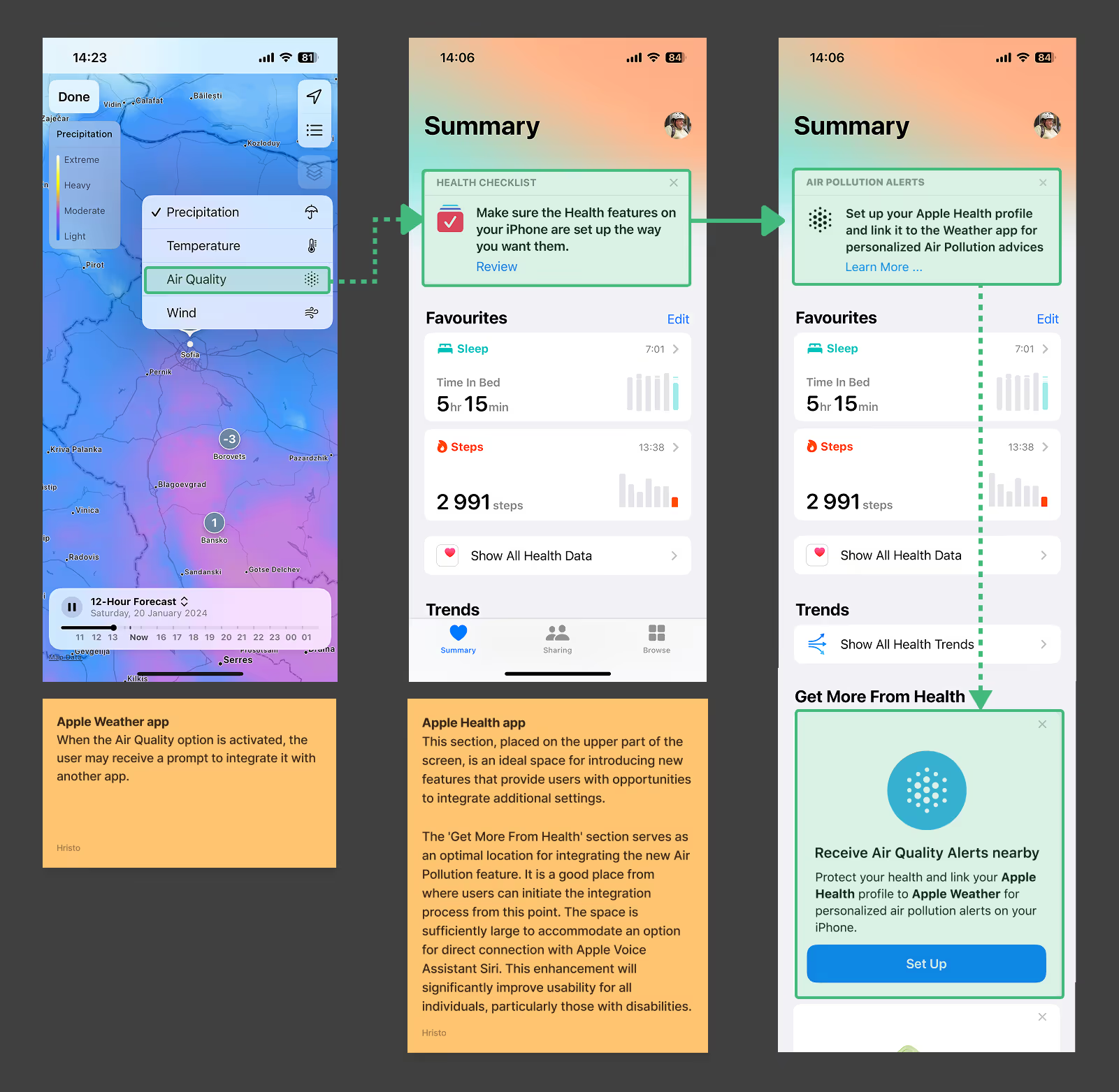
UX case study mockups showing integration of Apple Weather’s air quality data into Apple Health app to deliver real-time alerts and personalized health recommendations.
This 2024 case study explores Apple’s effort to enhance user health and safety by integrating real-time air quality data from Apple Weather into the Health app. Designed to provide personalized recommendations, it benefits users in high-pollution areas like Sofia by delivering timely alerts, clear data visualization, and actionable insights tailored to individual health needs. Optimized for both iPhone and Apple Watch, this seamless integration ensures users can make informed decisions—whether adjusting outdoor activities, receiving instant pollution alerts, or tracking long-term exposure—empowering them to take control of their well-being with greater confidence and ease.
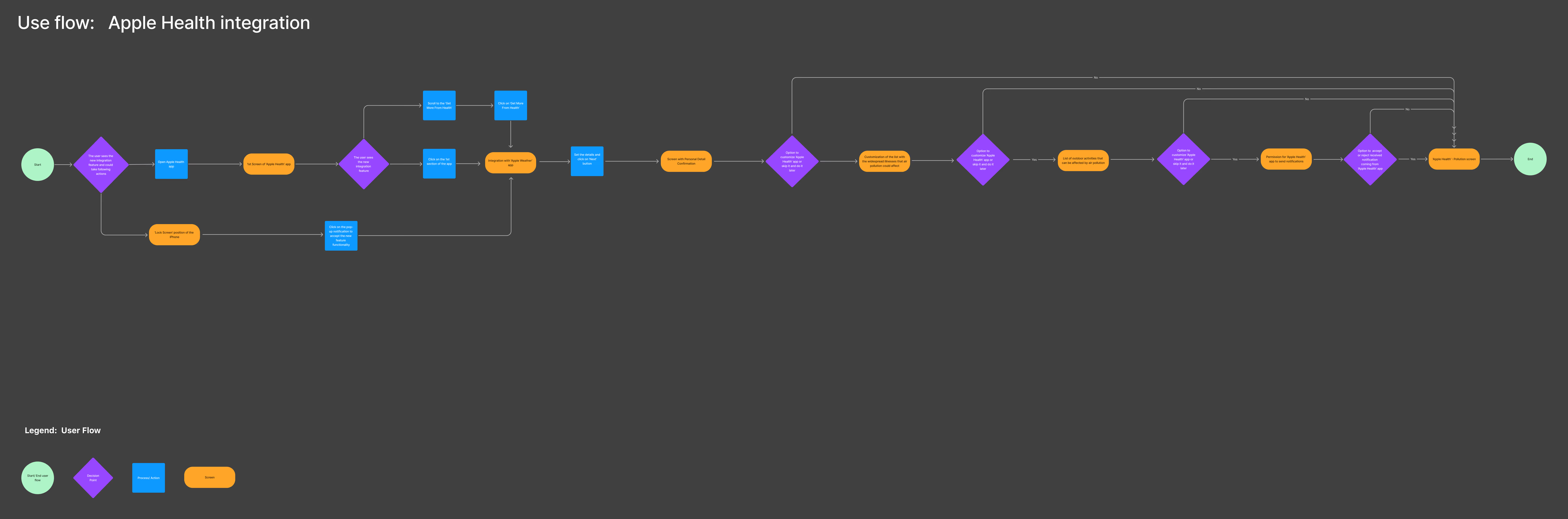
User flow diagram illustrating the integration of real-time air quality data from Apple Weather into the Apple Health app, showing decision points and actions for personalized user alerts and health recommendations.
Detailed user flow showing how real-time air quality data from Apple Weather integrates into the Apple Health app, guiding users through setup, permissions, and personalized air pollution alerts.
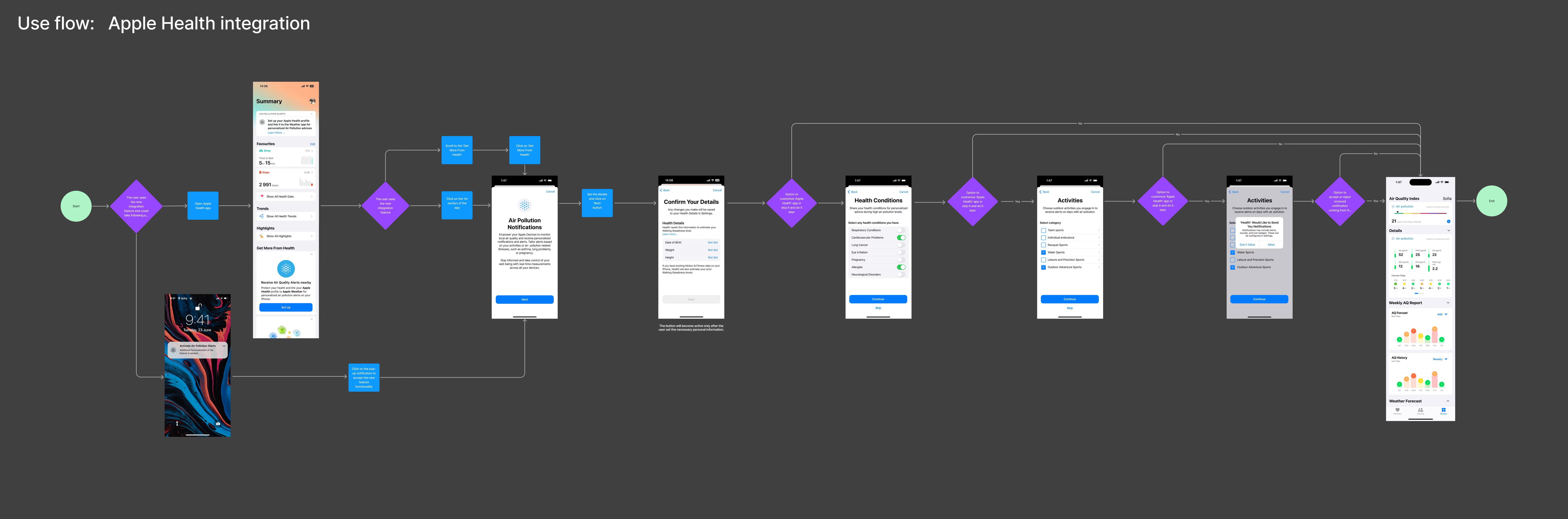
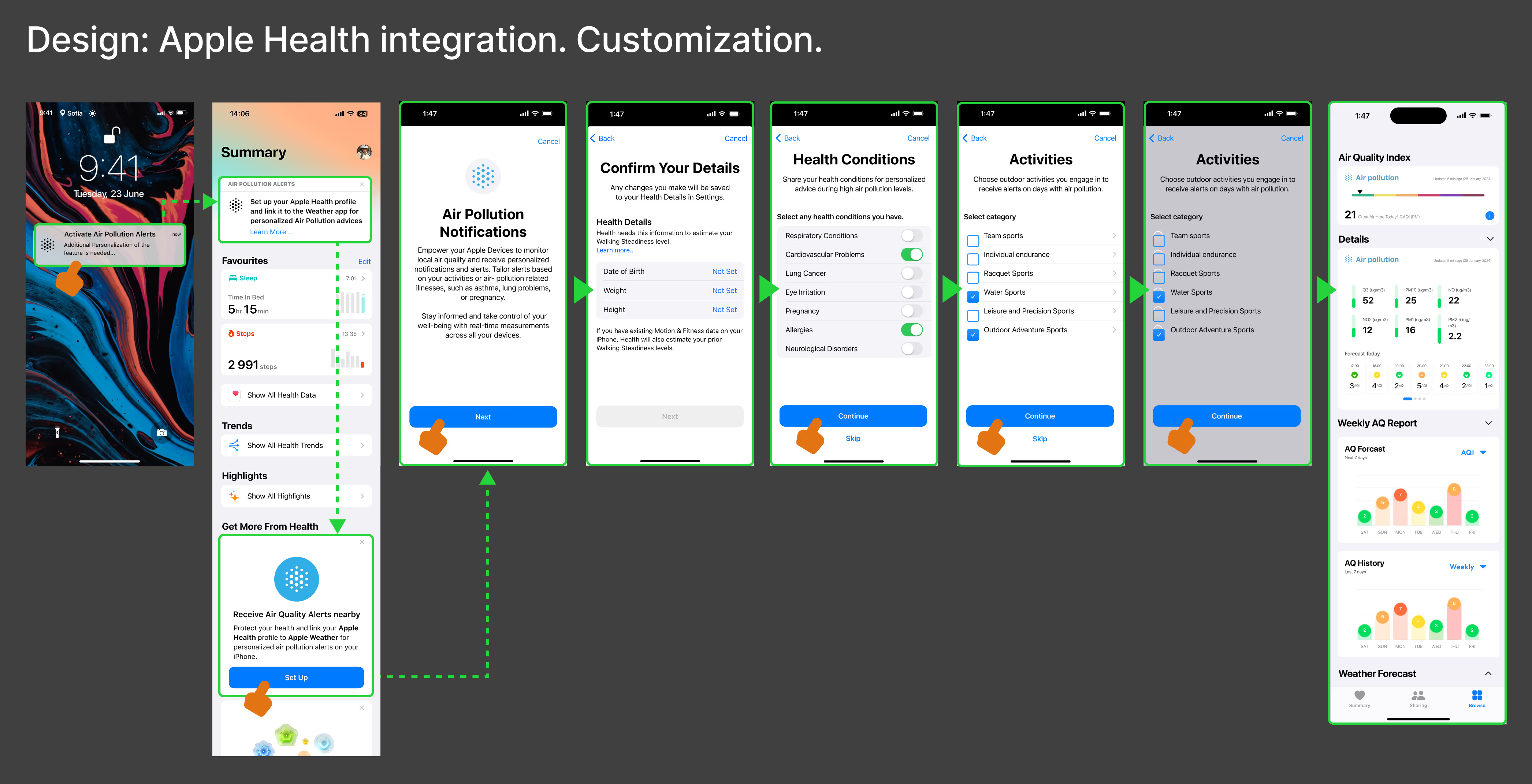
Step-by-step user flow showing Apple Health integration with an app. Includes setup screens for permissions, personal details, health conditions, activity preferences, and a final dashboard with health insights and air quality data.
This user flow walks users through integrating Apple Health with the app in a simple, step-by-step process. It starts with an opt-in decision, followed by permission requests to access health data. Users then confirm their details, set health conditions, and choose relevant activities to personalize their experience. Along the way, clear decision points allow for customization, making sure users have control over their data. Once everything is set up, they land on a dashboard that visualizes key health insights and air quality reports. The flow keeps things intuitive, breaking down complex steps into a smooth, user-friendly journey.

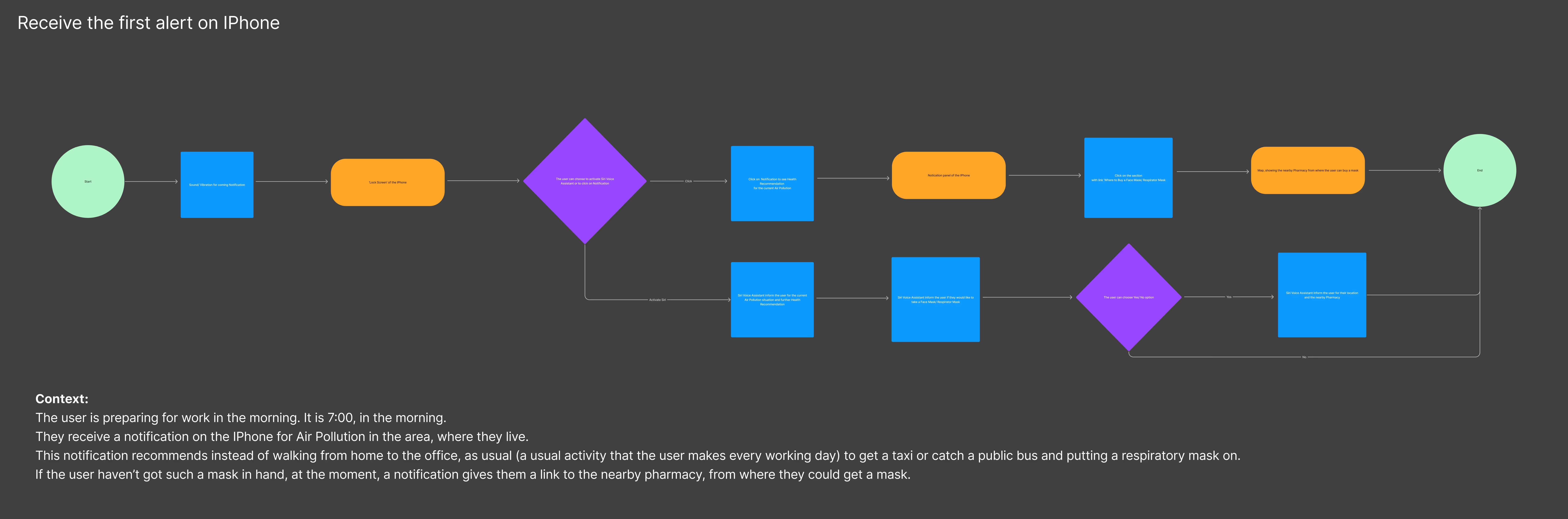
User flow showing how an Apple Health air quality alert guides iPhone users during their morning routine, recommending protective actions like wearing a mask or taking public transport instead of walking.
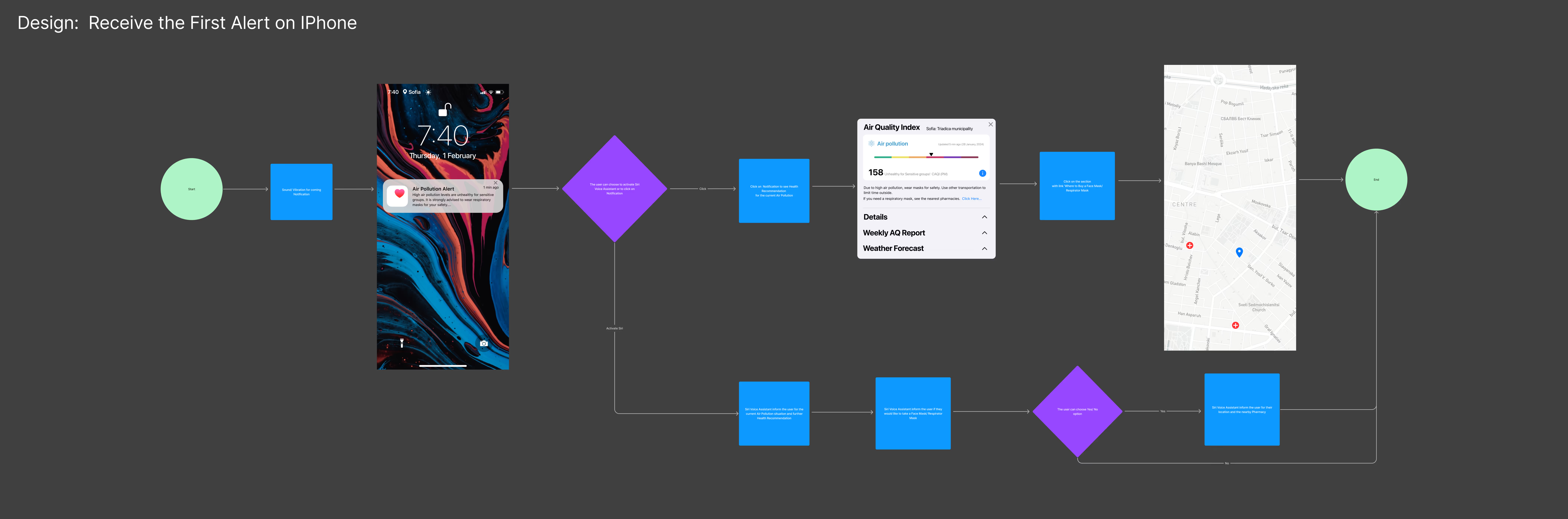
User flow showing the first air pollution alert received on iPhone, with a notification leading to the Air Quality Index screen and map with nearby pharmacy suggestions for mask pickup.
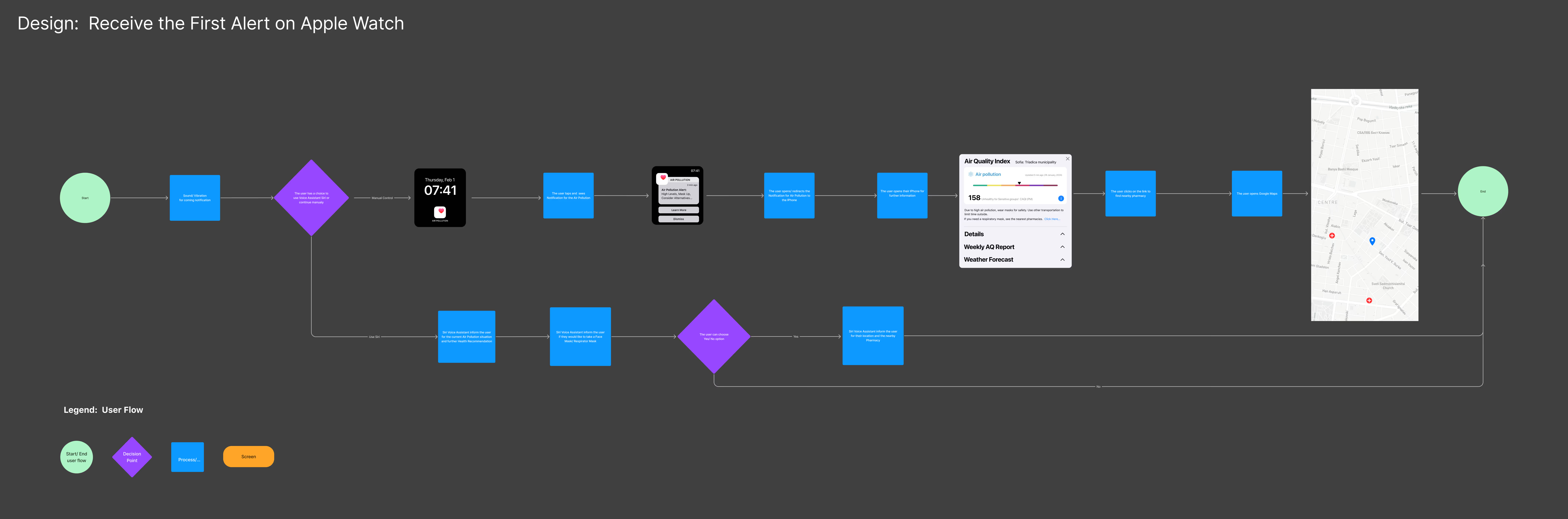
User flow showing how the Apple Watch delivers the first air quality alert, guiding users from notification to detailed AQI data and map-based suggestions for nearby pharmacies offering protective masks.
Upward arrow icon – button used to scroll back to the top of the page.